Bulk Audio Generator v2.0
Generate Bulk AI Voices with ElevenLabs & Google AI
Transform your scripts into high-quality AI voices in bulk. Choose between ElevenLabs or Google AI Studio Text-to-Speech, configure your API key, generate hundreds of audio files, and download them instantly — all in one powerful platform.
100+
Files at Once
5 min
Quick Setup
Secure
API Key Safe
Start in Seconds
No complex setup required
Choose Provider
Select ElevenLabs or Google AI Studio
Enter API Key
Paste your TTS provider API key
Paste Scripts
Separate with blank lines
Generate & Download
Get your ZIP file instantly
ZIP Export
Privacy First
Quick Start Guide
Get Started in4 Simple Steps
Follow these steps to start generating bulk AI voices with ElevenLabs.
Get Your API Key
Log in to ElevenLabs, navigate to Developers → API Keys, and create a new API key.
Enter Your Scripts
Paste your scripts in the editor. Separate each script with a blank line.
Generate Audio
Click Generate Audio and watch as your files are created in real-time.
Download Files
Download all generated audio files individually or as a single ZIP archive.
How Audio Generation Works
Every request follows a secure workflow from your browser to the backend, then to your chosen TTS provider (ElevenLabs or Google AI Studio), before returning a ZIP containing all generated audio files.
User Input
Paste your API key (ElevenLabs or Google AI Studio) and multiple scripts separated by blank lines.
Frontend Processing
Validates the input, prepares the request and sends it securely to the backend.
Backend Processing
Processes every script, manages requests, queues generation and communicates with the selected TTS provider.
TTS Provider API
Generates realistic AI voices using ElevenLabs or Google AI Studio's Text-to-Speech.
ZIP Download
All generated MP3 files are compressed into a ZIP archive and downloaded instantly.
Complete Request Lifecycle
Your browser never generates audio directly. The frontend validates your scripts and securely sends them to the backend. The backend communicates with your chosen TTS provider (ElevenLabs or Google AI Studio), generates every audio file, bundles them into a ZIP archive, and returns the download to your browser. This architecture keeps the application secure, scalable and easy to maintain.
API Configuration
Configure YourTTS Provider
Bulk Audio Generator supports both ElevenLabs and Google AI Studio Text-to-Speech. Choose your preferred provider and follow the steps below to get your API key. Your key stays inside your browser and is never stored on any server.
ElevenLabs Setup
Create an ElevenLabs Account
Visit ElevenLabs and create a free account if you don't already have one.
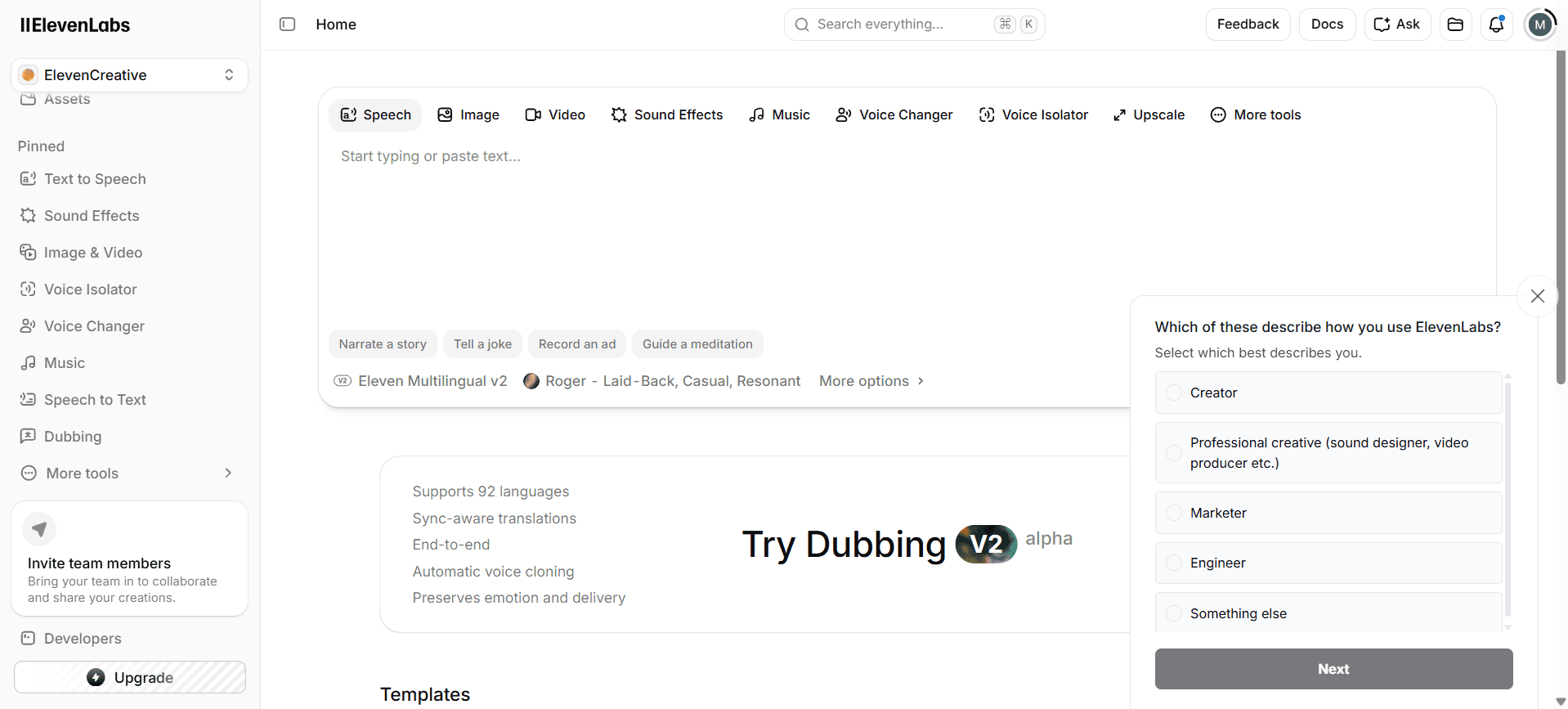
Login to Dashboard
After verifying your email, log in to your ElevenLabs dashboard.
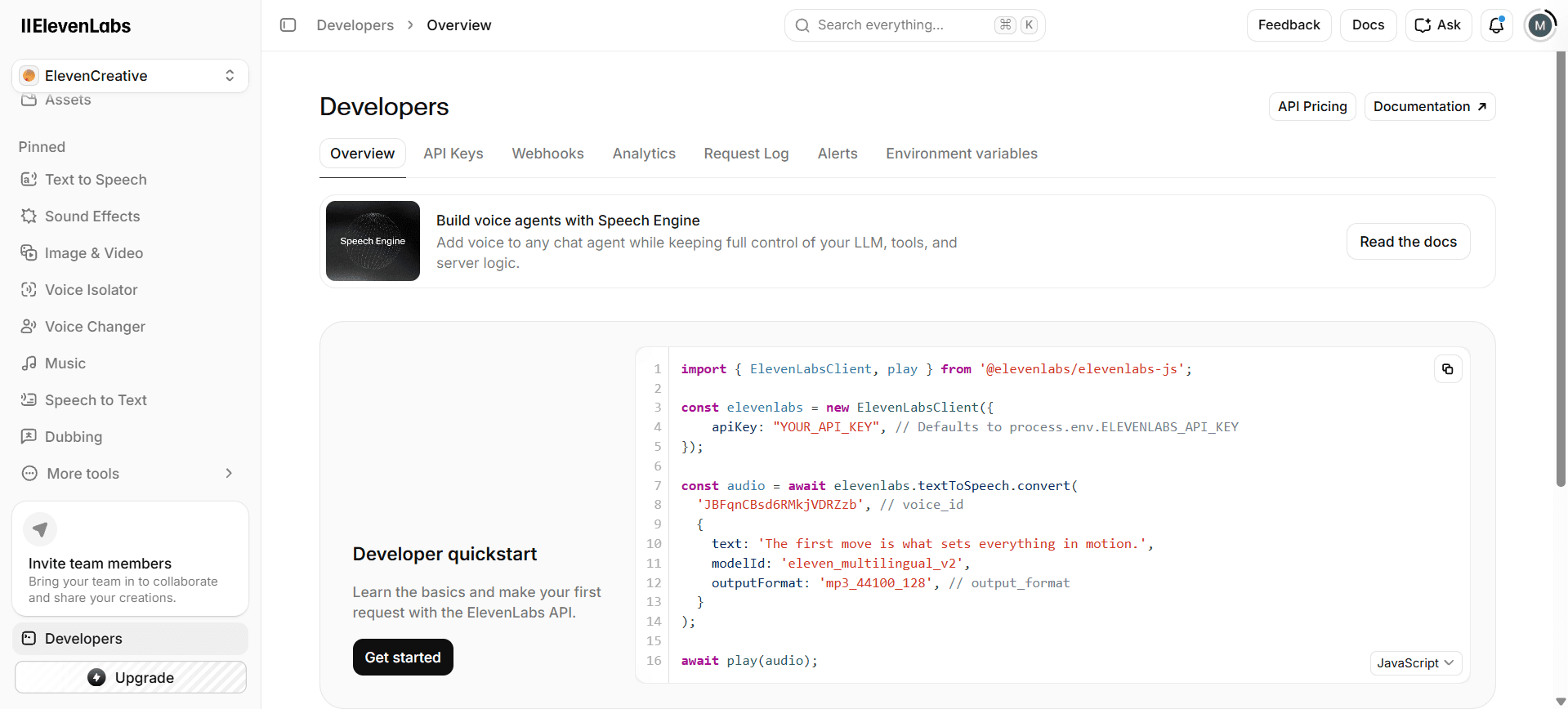
Navigate to API Keys
Go to Developers → API Keys to manage your API keys.
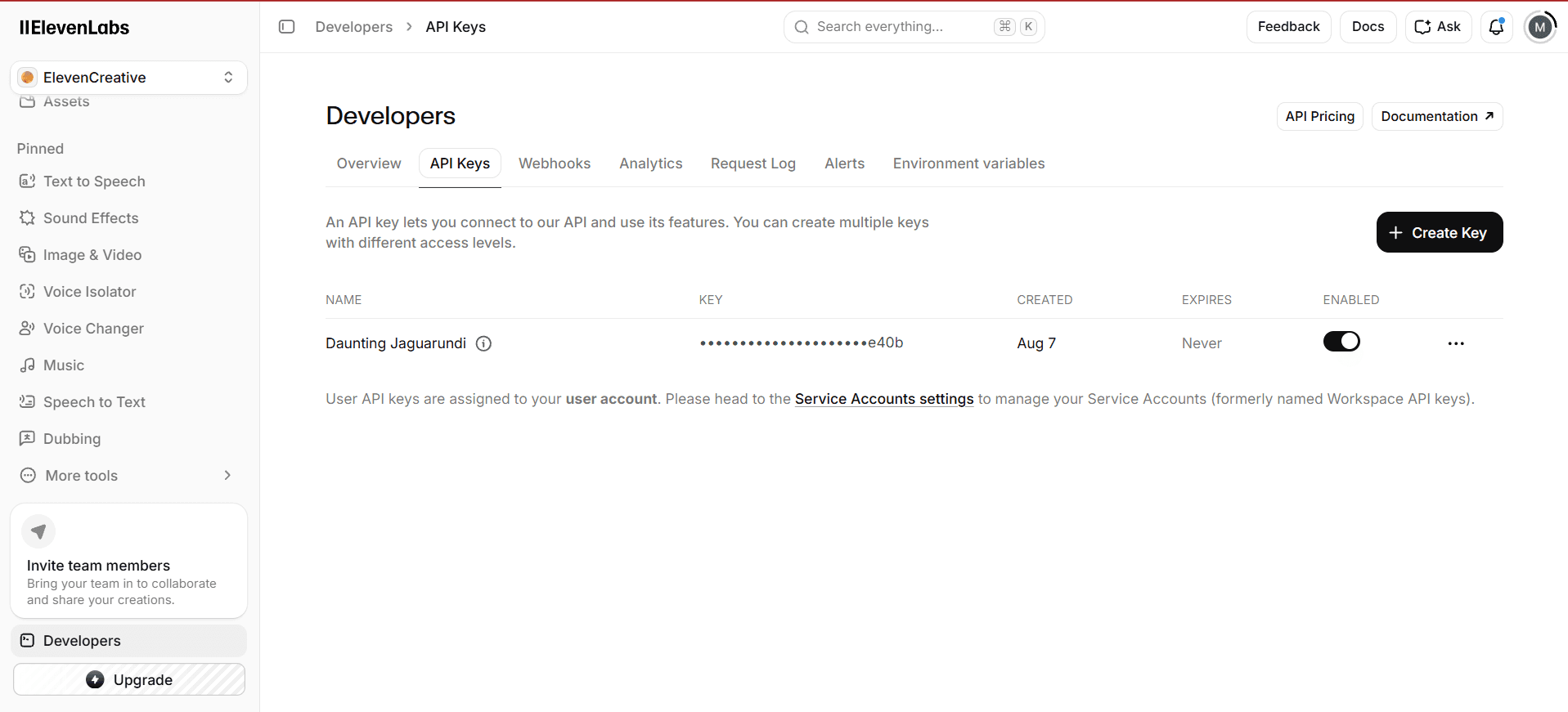
Create a New API Key
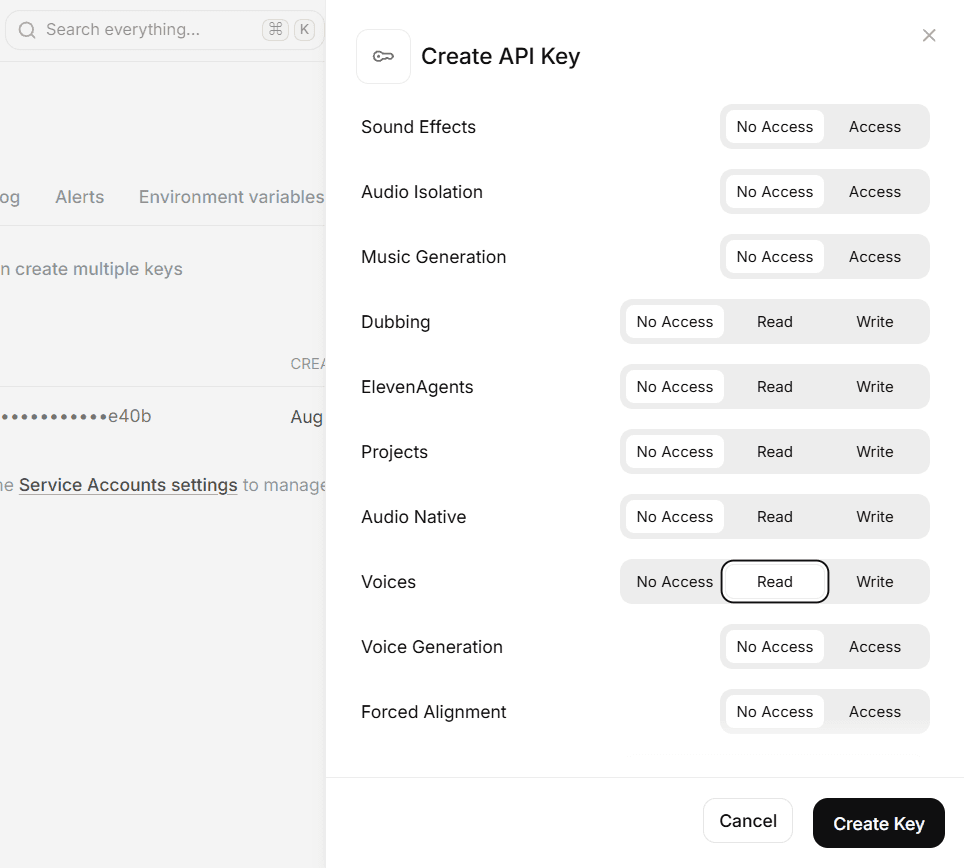
Click 'Create API Key', give it a name, and configure access permissions.
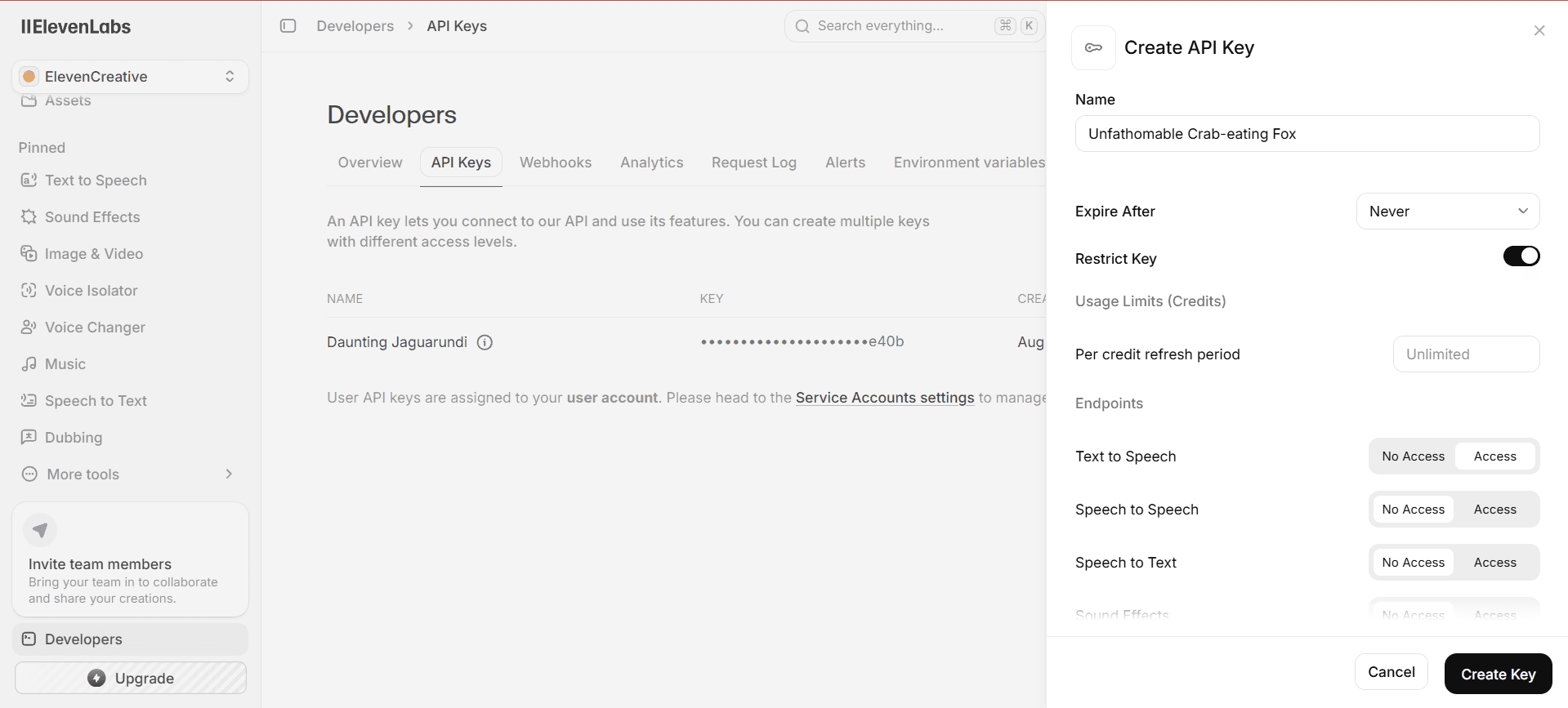
Configure Access
Set appropriate access levels for Text to Speech and other services.
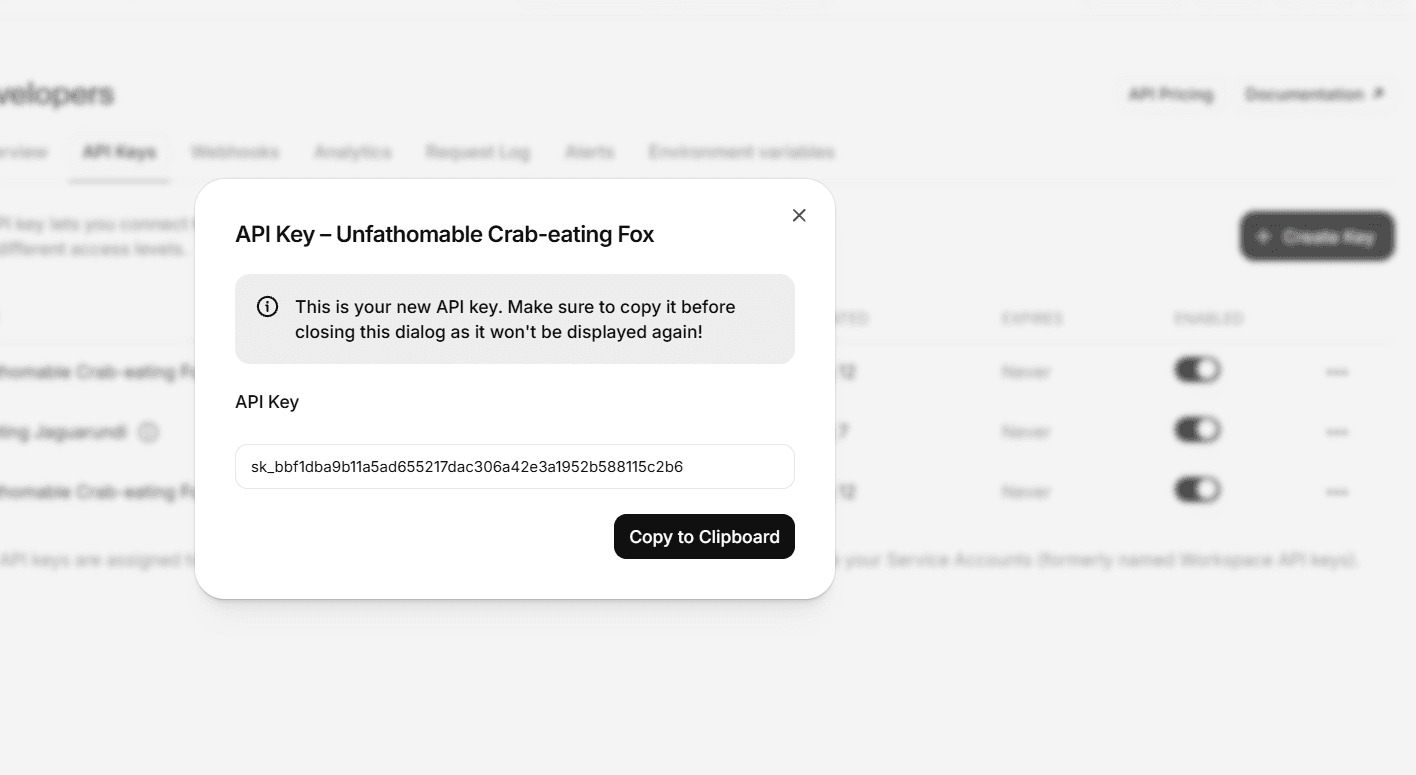
Copy Your API Key
Copy the generated API key immediately. It won't be shown again!
Google AI Studio Setup
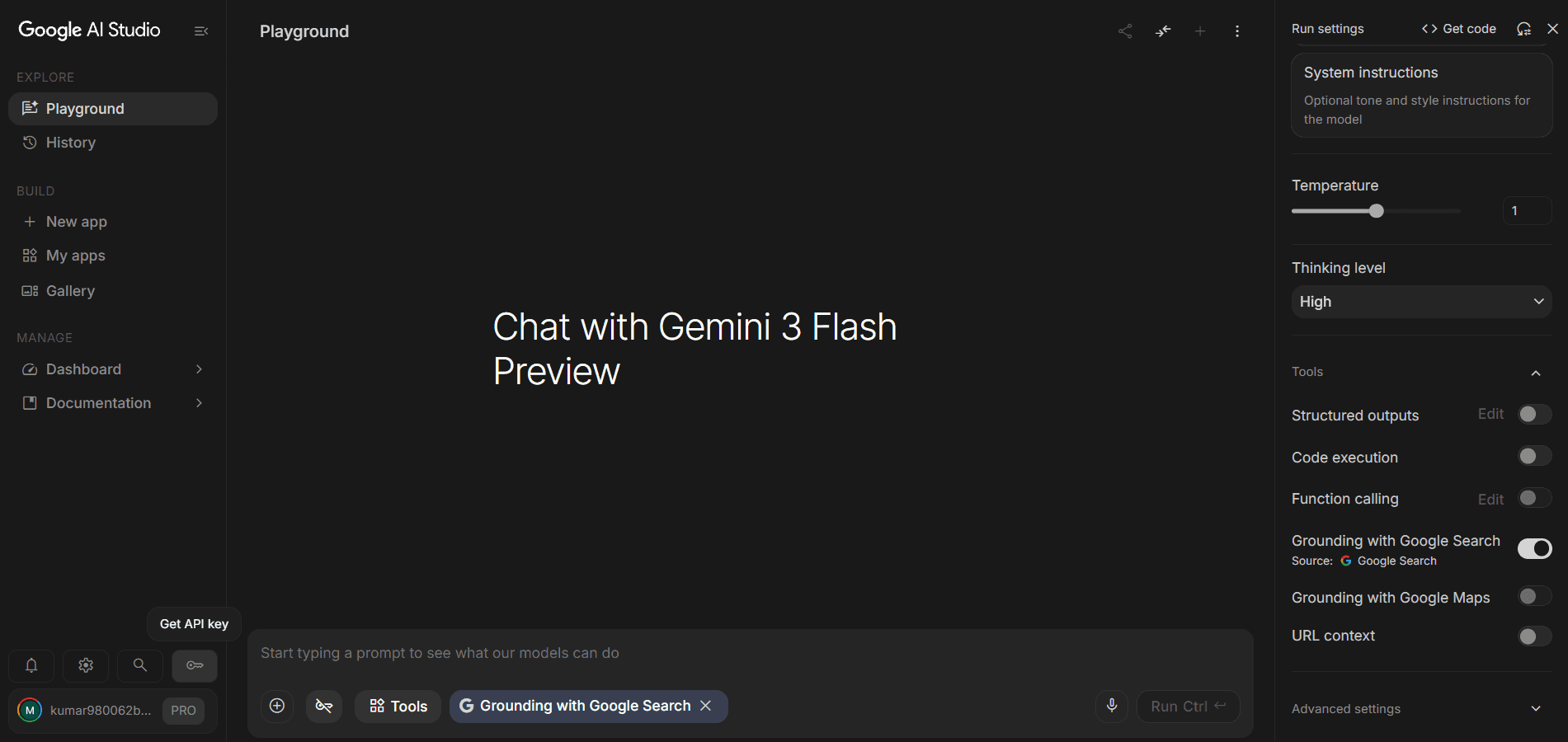
Go to Google AI Studio
Visit Google AI Studio and sign in with your Google account.
Navigate to API Keys
Go to the API Keys section in the Google AI Studio dashboard.
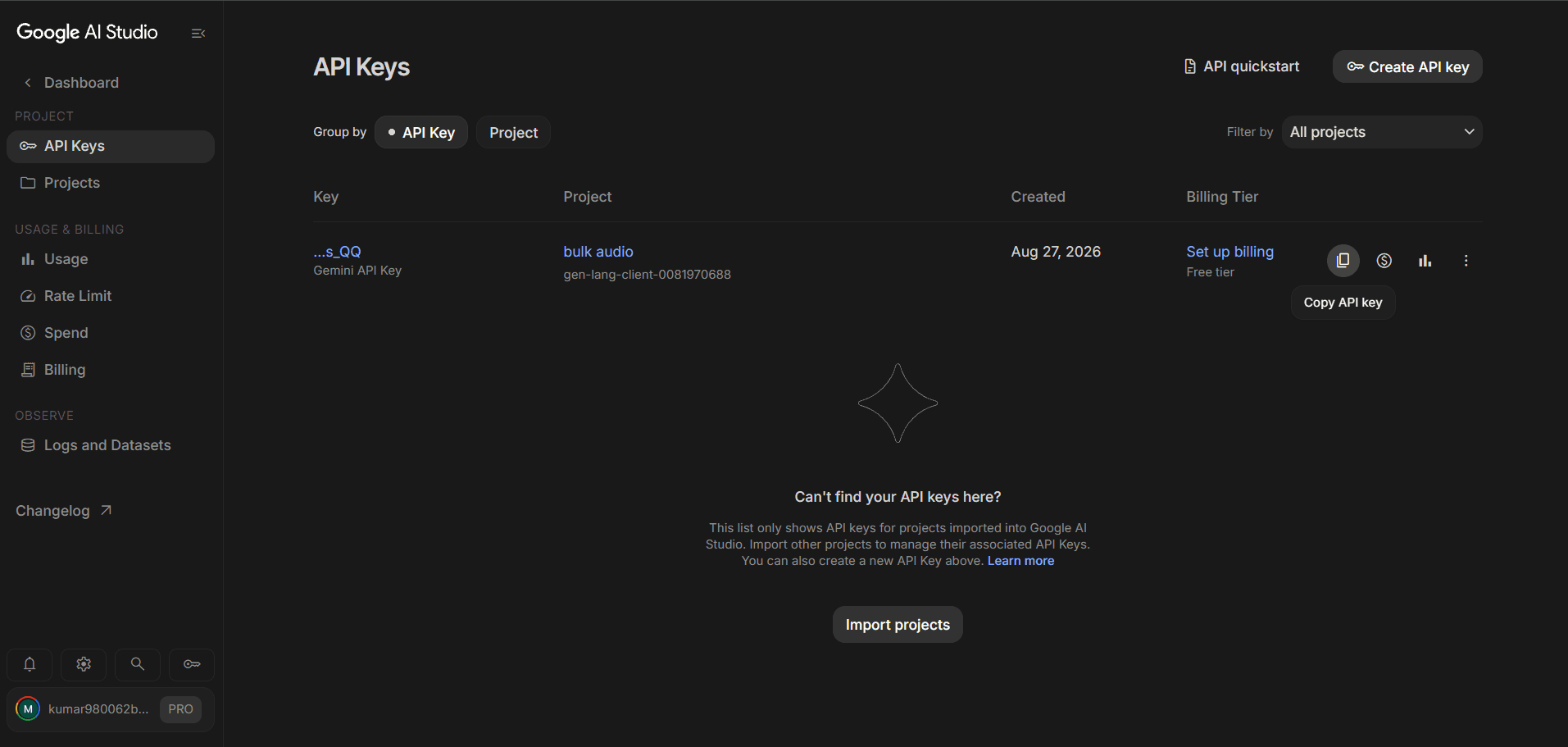
Create a New API Key
Click 'Create API Key' and select the Text-to-Speech API.
Configure API Key
Set appropriate permissions and restrictions for your API key.
Copy Your API Key
Copy the generated API key. Store it securely for use in the application.
Which Provider Should You Choose?
ElevenLabs
- ✓High-quality, natural-sounding voices
- ✓Wide variety of voice profiles
- ✓Advanced voice customization options
- ✓Ideal for professional content creation
Google AI Studio
- ✓High-quality WaveNet and Studio voices
- ✓Supports multiple languages and accents
- ✓SSML support for advanced speech control
- ✓Competitive pricing with free tier
Your API Key is Secure
Your API key is transmitted securely to our backend, encrypted using industry‑standard Fernet (symmetric encryption), and stored in the database. The raw key is never persisted in your browser or accessible to anyone. Whether you choose ElevenLabs or Google AI Studio, your credentials remain protected at all times.
Step-by-Step Guide
Generate Bulk AudioIn 6 Simple Steps
Follow this visual guide to generate hundreds of AI voices with ElevenLabs or Google AI Studio. Each step includes a screenshot to help you navigate the process. Click any image to enlarge.
Step 1
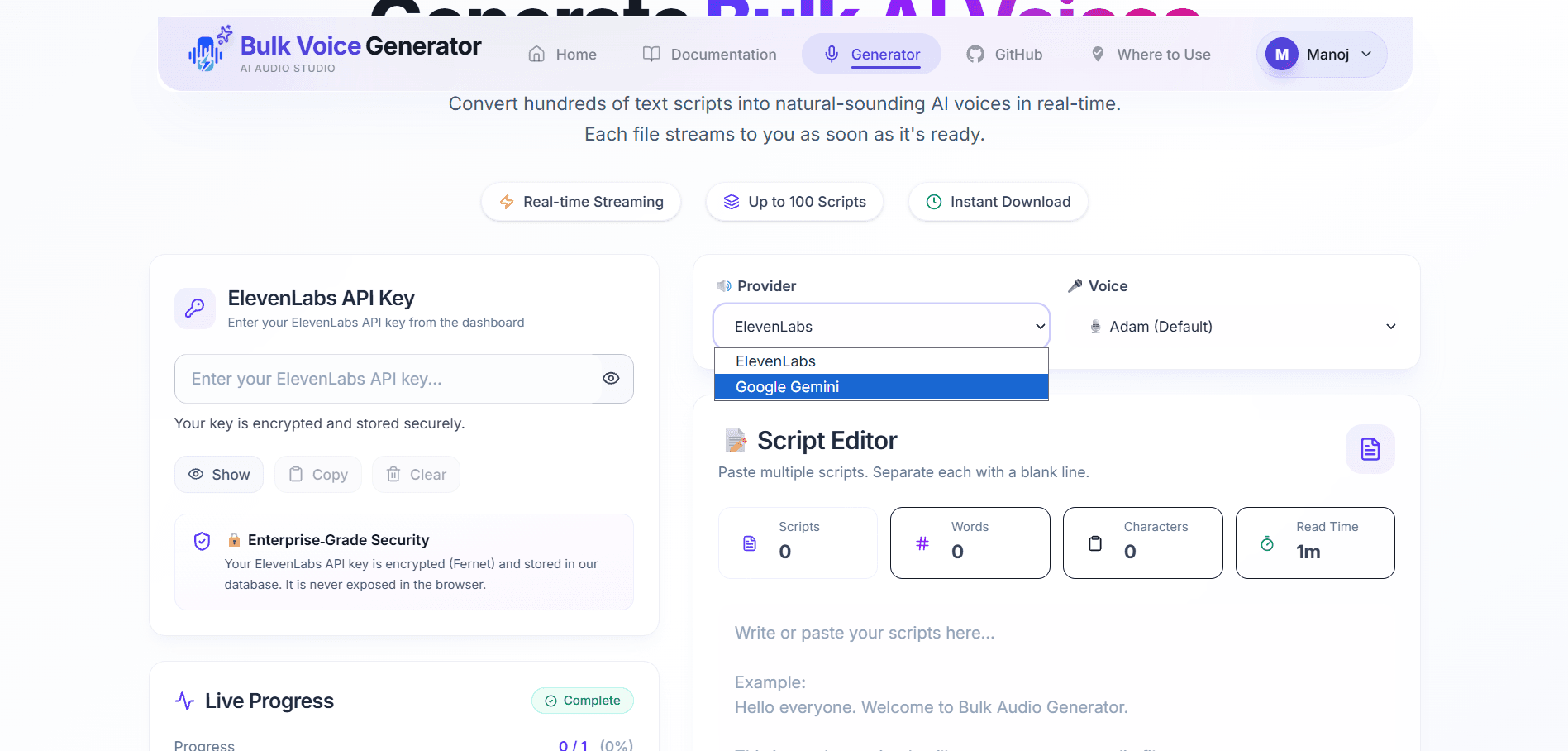
Choose Your Provider
Select either ElevenLabs or Google AI Studio as your TTS provider. Each offers unique voice options and capabilities.
Two Providers Available
Choose between ElevenLabs (premium voice quality) or Google AI Studio (great for multilingual support).

Step 2
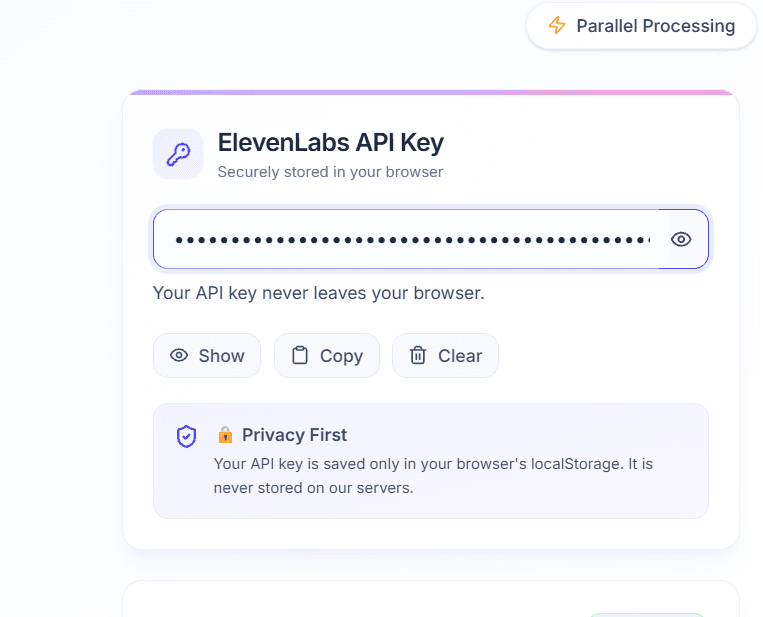
Enter Your API Key
Paste your ElevenLabs or Google AI Studio API key into the secure input field. It is transmitted to our backend, where it is encrypted (Fernet) and stored securely in the database.
Privacy First
Your API key is encrypted and stored securely. It is never exposed in the browser.
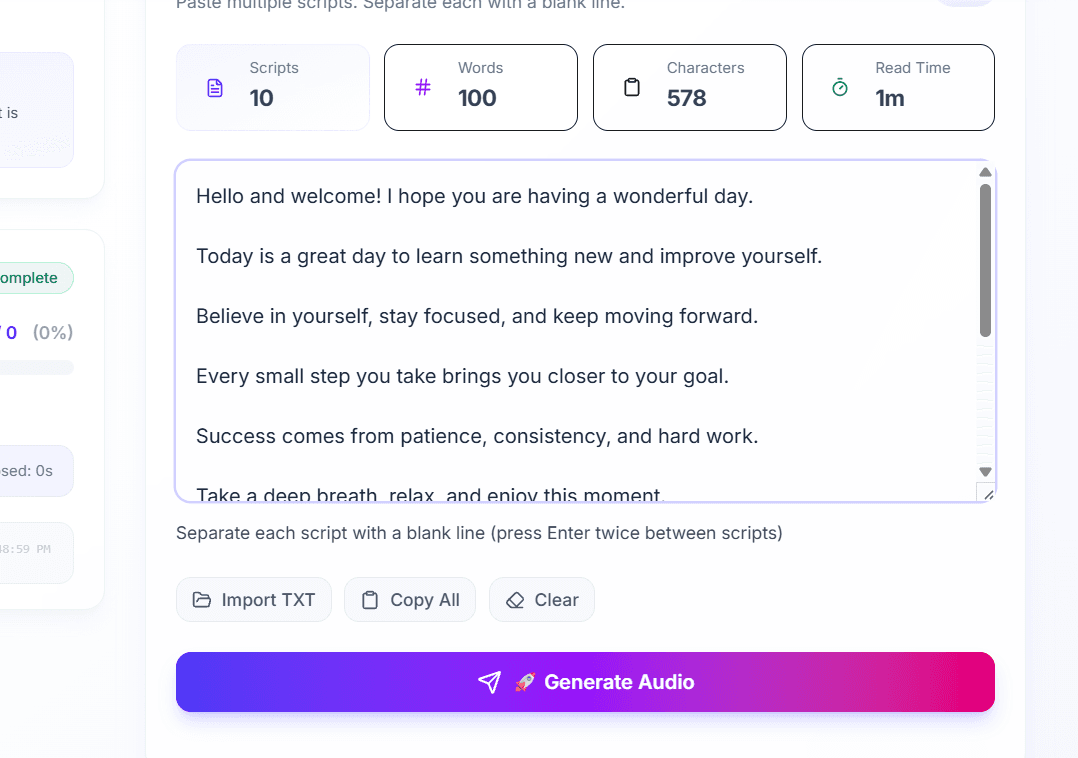
Step 3
Write Your Scripts
Type or paste your scripts in the editor. Separate each script with a blank line to generate individual audio files.
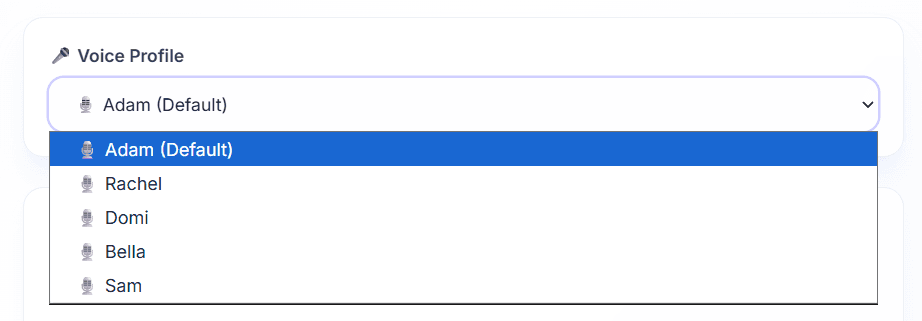
Step 4
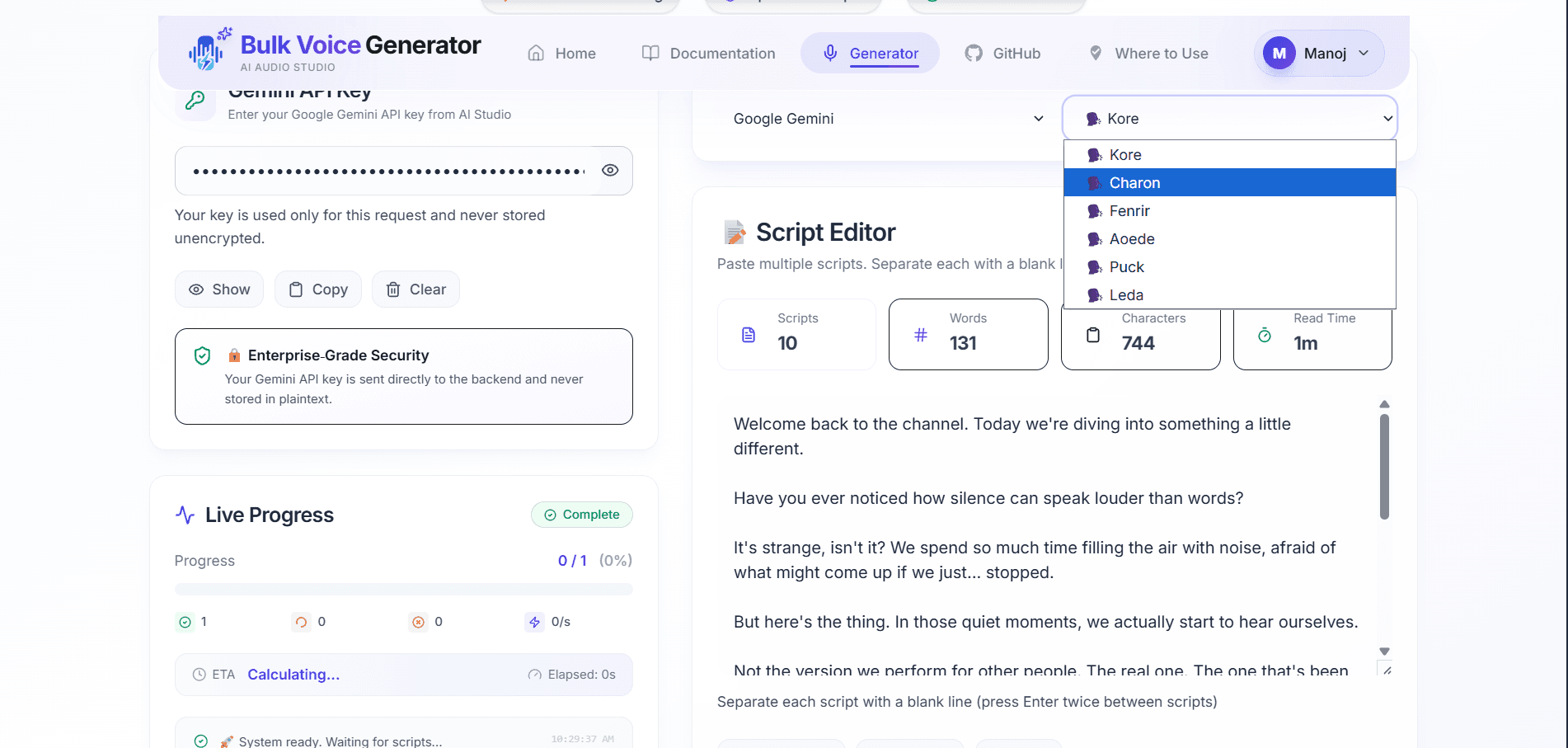
Choose Voice Profile
Select your preferred voice from the available profiles. ElevenLabs and Google AI Studio each offer a variety of voices.
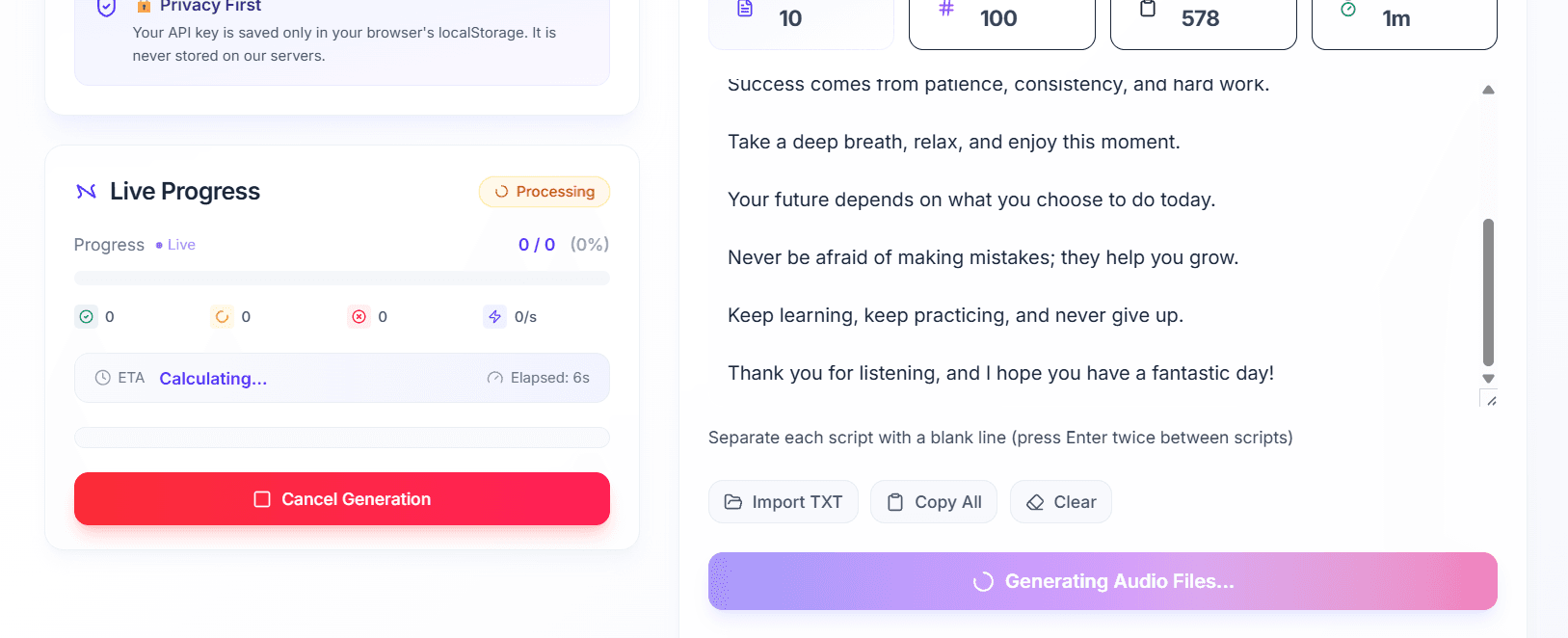
Step 5
Generate Audio
Click Generate Audio and watch as your scripts are processed in parallel. Real-time progress shows each completed file.
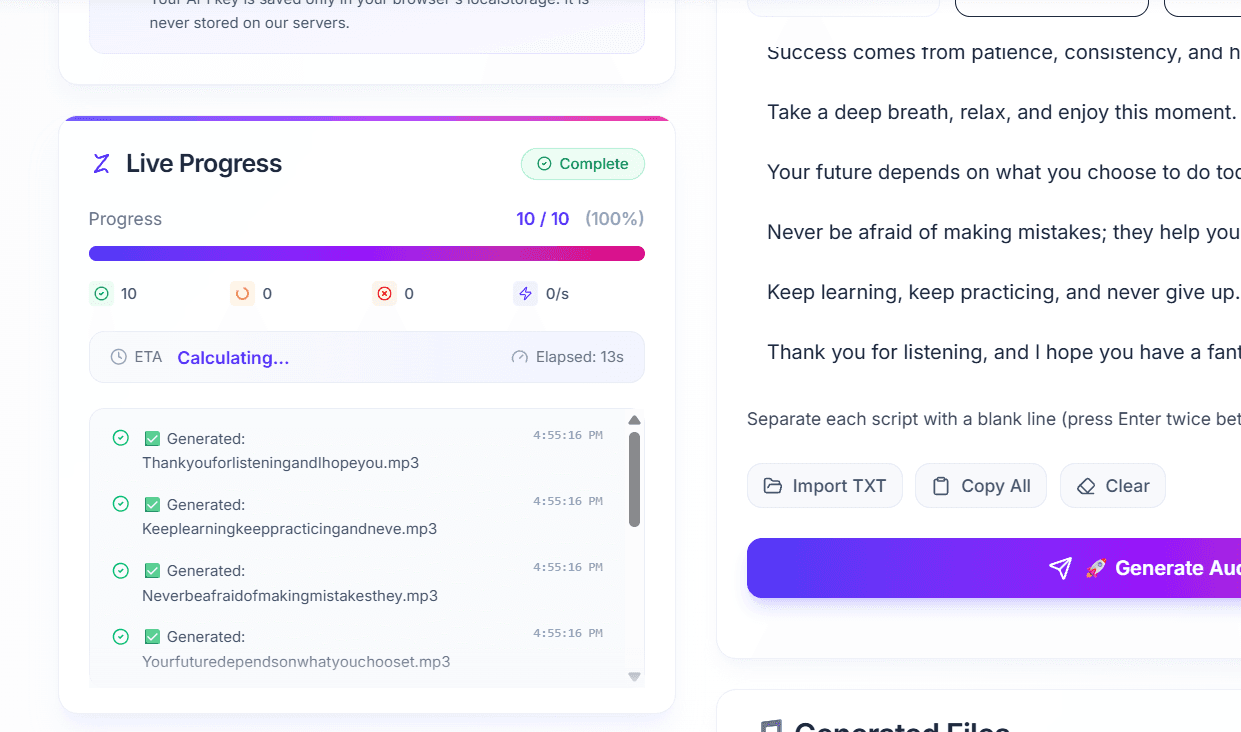
Step 6
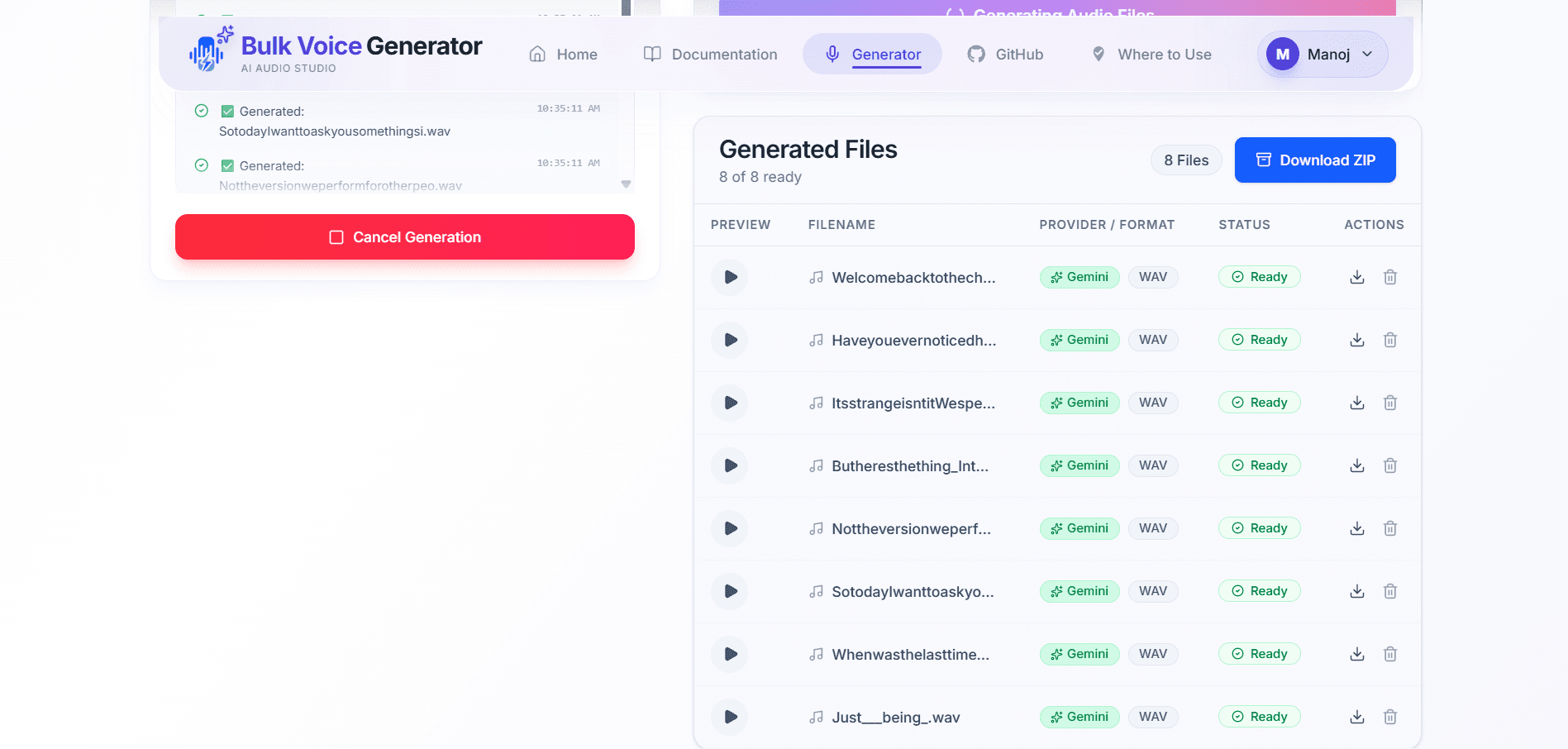
Download Your Files
Once generation completes, download all files individually or as a single ZIP archive.
Quick Tips for Success
Choose Your Provider
Select ElevenLabs for premium voice quality or Google AI Studio for multilingual support.
Separate Scripts
Use a blank line between each script to generate separate audio files.
API Key Format
ElevenLabs keys start with "sk_". Google AI Studio keys are alphanumeric strings.
ZIP Download
All generated files are available for download as a single ZIP archive.
Frequently Asked Questions About Bulk Audio Generation
Answers to the most common questions from users. Click any question to expand or collapse the answer.
Yes. This application uses the official ElevenLabs API. You must create an account and generate your own API key before generating audio.
Login to your ElevenLabs dashboard, go to your profile settings, navigate to API Keys, and create a new key. Make sure to grant it Text to Speech (for generating audio) and Voice Read (to fetch available voice profiles) permissions. Then copy the key and paste it into this application.
Yes. Your API key is encrypted (using Fernet symmetric encryption) and stored securely in our database. The raw key is never exposed in the browser or to any third party. Only your authenticated requests can use it to generate audio.
Simply leave one blank line between scripts. Every blank line represents a new audio generation request.
Yes. The application is designed for bulk generation and can process large batches depending on your ElevenLabs plan and backend configuration.
Common reasons include an invalid API key, exceeded ElevenLabs quota, backend connection issues, or unsupported voice settings.
Yes. After generation completes, all audio files can be downloaded individually or together as a ZIP archive.
We're Here to Help
Get the support you need to make the most of Bulk Audio Generator. Our team is ready to assist you with any questions or issues.
Email Support
For any questions, feature requests, or troubleshooting, reach out to our support team. We typically respond within 24 hours.